
A ceiling stain after rain: property follow-up with REMOTEZAI
A practical property-management example: record a ceiling stain, prepare a specialist visit and review the visible finish after work.
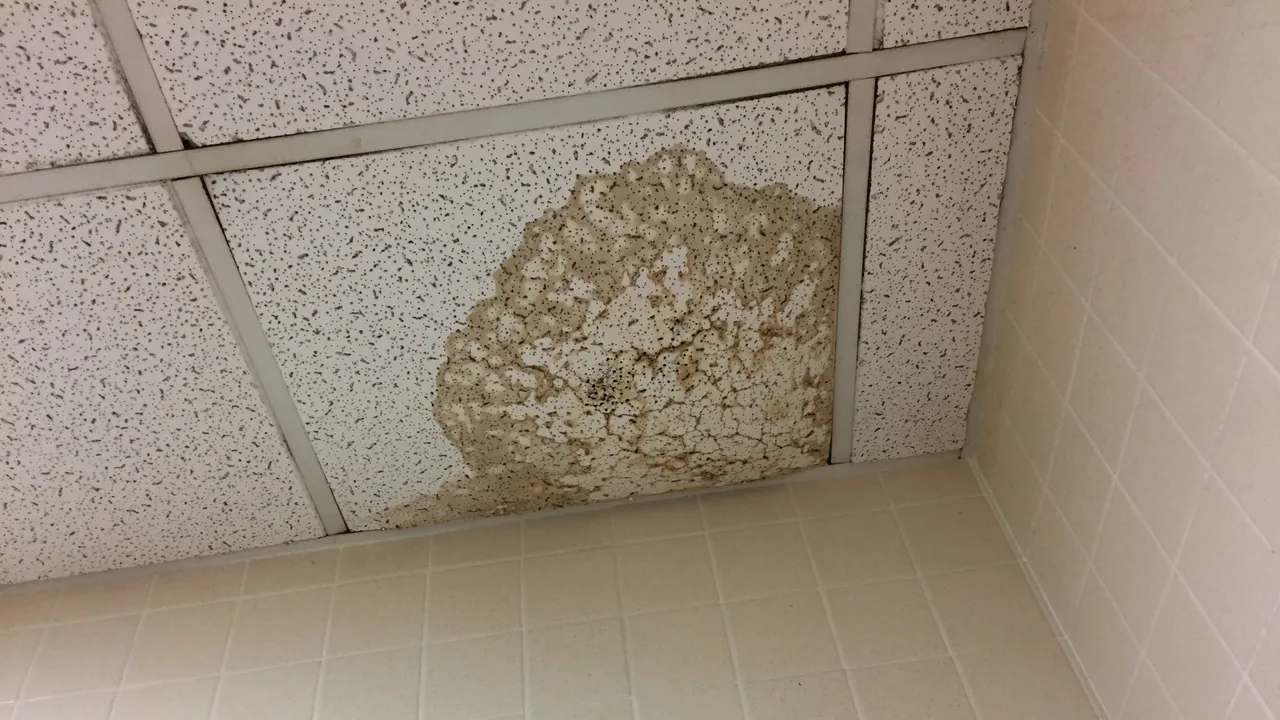

Consider an illustrative situation: a resident reports a stain on the living-room ceiling after a night of rain. The property manager needs to understand the report and gather material for follow-up. REMOTEZAI supports a live video session in the browser, guided photographs, and notes and evidence organized in a case file. People remain responsible for reviewing the material and deciding what happens next.
Give the first session a clear purpose
Start with a specific question: where is the stain, what can be seen in the images, and what information should accompany a request for an on-site assessment? The call cannot establish where water came from or confirm moisture inside the ceiling.
Agree on a short walkthrough of areas the resident can observe safely, without climbing, taking anything apart or reaching for surfaces. If a safety concern arises, collecting images stops being the priority and the issue needs appropriate handling. Video cannot establish that the space is safe.
Connect the ceiling to the room and window
Begin with a room overview from an accessible position. Include recognizable references such as the door, window and junction between wall and ceiling. Then request a view of the affected area and a readable detail that can be connected to the overview.
A close-up may show the stain's outline without revealing which corner of the room it occupies. The sequence gives the specialist a location to work from when preparing the visit. Keep people, documents and personal belongings outside the frame when they contribute nothing to the case.
Keep reports separate from observations
A note might say, “The resident reports first noticing the stain this morning, following rain.” An image caption might read, “Living room, ceiling beside the window wall: visible discoloration.” Those statements have different sources and should remain distinct.
The window's proximity does not establish a cause. Colour, outline or sheen in an image cannot confirm water within the material either. Record unanswered questions and any lighting or access limitations that affected the evidence collected.
Prepare the specialist's visit
Review the set while the resident is still available. Check for an overview, an area view and a detail that someone else can interpret. The guide to useful evidence photos explains how to connect those views.
Bring together the resident's account, photographs, notes and assessment request in the case file. Identify what still needs checking on site and who will arrange access. The specialist receives context for the visit; the images do not supply a diagnosis or determine responsibility.
Return to the same viewpoints
After work has taken place, another session can document the visible finish. Use the original room overview as a reference and request similar views of the treated area. The team compares the photographs manually, allowing for differences in light, distance and angle.
Record the date and what is actually visible, such as the appearance of the paint during that session. An even finish does not prove that the cause has been resolved or that hidden damage is absent. Technical conclusions depend on appropriate checks.
Finish with an explicit next step
The case file should identify observations, reported information, open questions and the person responsible for follow-up. If an image is insufficient, request a specific replacement or leave the on-site assessment outstanding.
Explore REMOTEZAI for home and property to see how this example fits a guided property-evidence collection and review workflow.