



Automotive
Document vehicle condition, damage and incident context for remote triage and assessment
Loading...
Try againSoftware by ACTIVETECH
Video-guided remote inspections, with evidence capture, technical context and reports ready for review
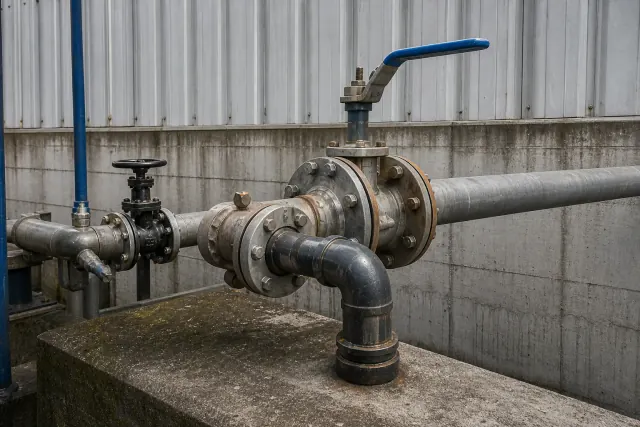
Remote inspection of operating condition
Video, evidence and reports
From scheduling to evidence review
Organise sessions and share a secure link
Bring clients, technicians and specialists into the same inspection
Gather photos, recordings and technical context
Guide collection and keep track of what is missing
Assess images, identify damage and extract text for human review
Request further information and track follow-up
Connect observations and evidence in a document
Keep track of teams, activity and integrations
Receive photos and complete the evidence at the client’s pace
Add location and technical context to the inspection, with consent
Track invitations, consent and actions taken on evidence
Explore activity, sessions and evidence to monitor operations
From invitation to report

Availability, conflicts and case file context
Vehicles, property and technical operations
Document vehicle condition, damage and incident context for remote triage and assessment
Capture evidence of damage, rooms and contents for assessment and follow-up
Verify faults, condition and operating context before deciding on an intervention
Guide checks and diagnostics while bringing photo and video evidence together in an auditable record
Choose your context and see how to guide observation, collect evidence and prepare the next step
Start with guidance. Grow with your team's needs
The essentials to start your remote operation
On request
For one team and a defined use case
A demo guided by our team, by appointment
A configuration aligned with your organisation
Tailored to you
Capacity and terms defined in your proposal
Tell us about your operational requirements
We show you REMOTEZAI and explore your use case in a guided demonstration
Operators, usage, storage and modules are defined in the proposal.
Prepare sessions and gather evidence
Organise a vehicle return with browser live video, guided photographs and human review of the earlier handover record.
Read articleA practical property-management example: record a ceiling stain, prepare a specialist visit and review the visible finish after work.
Read articleUse a label-printer example to gather equipment details, reported symptoms and visual evidence before a technician visit or supplier handover.
Read articleRemote inspection essentials
REMOTEZAI, powered by ACTIVETECH, is a browser-based platform for remote video inspection. It brings together operator-guided live video, photographs, recordings, evidence review and reports to help teams gather visual information and review it in the context of a case
Participants open their invitation link in a compatible browser without installing an app. For a video session, they need an internet connection and must allow access to the camera and microphone when prompted by the browser
During a live session, an operator guides the participant through observation and evidence collection. When the client portal is enabled, participants can also submit evidence later for the team to review and follow up within the same case
A case can bring together photographs, recordings, notes and checklists for human review and report preparation. Available features depend on the organisation's configuration. The team reviews the collected material and identifies any further information needed to support its assessment
REMOTEZAI can support visual evidence collection for automotive work, homes and property, equipment and facilities, and audits and technical support. Suitability depends on what the team needs to observe and the quality of the evidence available for review
Remote visual evidence and AI assistance, when enabled, support human analysis. They do not replace professional judgement or an on-site visit when the available information is insufficient. Collecting evidence does not automatically establish liability, safety conditions or certification
Request a demonstration through the contact page and describe your team's needs. The demonstration provides an opportunity to discuss your intended workflow, the configuration that fits your organisation and the commercial terms applicable to the service